• Shopping Cart Shopping Cart
    0Shopping Cart
10 Minutes of Quality Time
  • Home
  • Printables
    • Bible Crafts for Kids
    • Coloring Pages for Kids
    • Around the World Crafts
    • Animal Crafts
    • Community Helper Crafts
    • Holiday Crafts
      • 4th of July
      • Christmas
      • Cinco De Mayo
      • Earth Day
      • Easter Crafts
      • Halloween Crafts
      • Hanukkah
      • Mother’s Day
      • Rosh Hashanah
      • Thanksgiving
      • Valentines Day
    • Learning the Alphabet
    • Learning to Count
    • Math
    • Seasons
    • Lesson Plans
  • About
  • Support
    • Contact Us
    • Frequently Asked Questions
  • My Membership
  • Login
  • Become a Member
  • Click to open the search input field Click to open the search input field Search
  • Menu Menu
You are here: Home1 / Printables2 / Holidays Crafts3 / Halloween Crafts4 / Peekaboo Mummy Card

Peekaboo Mummy Card

B&W printable

This download is available to members only.

Gain Unlimited Access to All Printables!

Already a member? Log-in here.

Peekaboo Mummy Card
  • File format – PDF

Instructions – After printing the sheet, you can color it as you wish, then cut out the hands and glue them so that the hands cover the eyes. Then pull back the hands to reveal the eyes.

What you’ll need –

  • Scissors
  • Glue
Click Here for All Halloween Printables
halloween dyi crafts
kindergarten halloween crafts
creative halloween crafts

Related products

  • Ghost Pop Up Card for Halloween

    Ghost Pop Up Card for Halloween

  • Reindeer Folding Card for Christmas

    Reindeer Folding Card for Christmas

  • Christmas Tree Folding Card for Christmas

    Christmas Tree Folding Card for Christmas

  • Elf Folding Card for Christmas

    Elf Folding Card for Christmas

Related Printables:

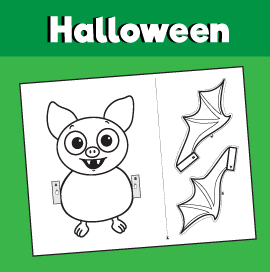
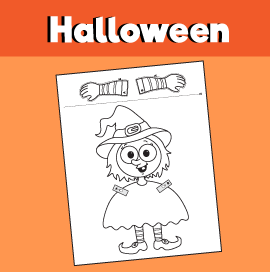
Peekaboo Monster CardPeekaboo Monster Card Peekaboo Bat CraftPeekaboo Bat Craft Peekaboo Witch CraftPeekaboo Witch Craft Peekaboo Ghost CraftPeekaboo Ghost Craft

Log In With Your Gmail Account

Continue with Google

Log In Using Your Username / Email and Password:


Forgot Password

Generic selectors
Exact matches only
Search in title
Search in content
Post Type Selectors

Printable Categories

Latest Printables

© 2025 Copyright - 10 Minutes of Quality Time - Enfold Theme by Kriesi
  • Link to Facebook
  • Link to Pinterest
  • Link to Instagram
  • Link to Youtube
  • Home
  • Terms of Service
  • Privacy Policy
  • Opt-out preferences
Link to: Peekaboo Bat Craft Link to: Peekaboo Bat Craft Peekaboo Bat CraftPeekaboo Bat Craft Link to: Peekaboo Witch Craft Link to: Peekaboo Witch Craft Peekaboo Witch CraftPeekaboo Witch Craft
Scroll to top Scroll to top Scroll to top
Manage Cookie Consent
To provide the best experiences, we use technologies like cookies to store and/or access device information. Consenting to these technologies will allow us to process data such as browsing behavior or unique IDs on this site. Not consenting or withdrawing consent, may adversely affect certain features and functions.
Functional Always active
The technical storage or access is strictly necessary for the legitimate purpose of enabling the use of a specific service explicitly requested by the subscriber or user, or for the sole purpose of carrying out the transmission of a communication over an electronic communications network.
Preferences
The technical storage or access is necessary for the legitimate purpose of storing preferences that are not requested by the subscriber or user.
Statistics
The technical storage or access that is used exclusively for statistical purposes. The technical storage or access that is used exclusively for anonymous statistical purposes. Without a subpoena, voluntary compliance on the part of your Internet Service Provider, or additional records from a third party, information stored or retrieved for this purpose alone cannot usually be used to identify you.
Marketing
The technical storage or access is required to create user profiles to send advertising, or to track the user on a website or across several websites for similar marketing purposes.

  • Manage options
  • Manage services
  • Manage {vendor_count} vendors
  • Read more about these purposes
View preferences
  • {title}
  • {title}
  • {title}